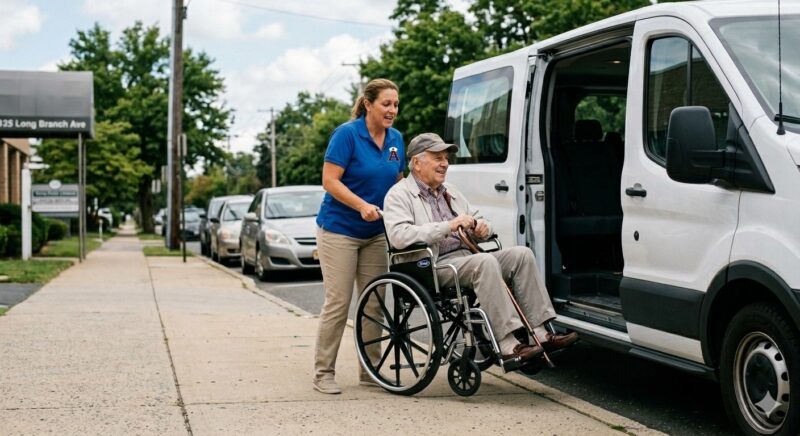
Reliable transport is important when attending a hospital, specialist consultation, therapy session, or routine medical appointment. Arriving late can result in a missed booking, while an unsuitable vehicle can create difficulties for passengers with limited mobility.
Booking a taxi in advance provides more control over the pickup time, vehicle type, and journey details. Careful planning can help patients and carers reach the correct medical facility safely and without unnecessary stress.
Confirm the Appointment and Journey Details

Before contacting a taxi company, confirm the appointment date, required arrival time, and complete destination address. Large hospitals may contain several buildings, entrances, clinics, and designated drop-off areas.
Ask the healthcare provider which entrance is closest to the relevant department. Giving the driver a precise destination is more useful than providing only the hospital’s general address and can reduce unnecessary walking after arrival.
Choose a pickup time that allows for traffic, roadworks, loading, and registration at the facility. Patients should aim to arrive early enough to locate the department, complete paperwork, and prepare for the appointment.
Provide the full collection address and a working contact number. If the passenger lives in an apartment building, retirement community, or complex property, include clear instructions about the safest and most accessible meeting point.
Request a Taxi Suited to the Passenger

Tell the provider how many people will be travelling and whether the passenger uses a wheelchair, walking frame, folding mobility aid, service animal, or medical equipment. These details help the booking team assign a suitable vehicle.
A passenger who must remain in a wheelchair during the journey will generally require a wheelchair-accessible taxi. Explain the type and approximate size of the wheelchair, especially when it is powered or fitted with additional support equipment.
To learn more about the most reliable Australian taxi company, simply visit www.blackandwhitecabs.com.au. Before confirming the booking, check that the service operates in your area and can accommodate all stated accessibility requirements.
Include family members, carers, and support workers in the passenger count. Drivers may provide reasonable help with boarding and mobility equipment, but they should not be expected to deliver personal or medical care.
If a child is travelling, ask about applicable restraint requirements and available seating arrangements. These requirements should be discussed when booking rather than when the taxi arrives.
Plan the Pickup and Return Journey

Request confirmation after making the reservation and review the date, pickup time, destination, and vehicle request. Contact the provider immediately if any information is missing or incorrect.
On the day of travel, prepare appointment documents, identification, medication, payment items, and mobility equipment before the scheduled pickup. Keep your phone nearby in case the driver needs help locating the entrance.
Medical appointments do not always finish at the expected time. Ask whether the return journey should be booked for a specific time or requested when the patient is ready to leave.
If arranging a pickup from a large hospital, confirm the designated taxi area and provide a recognisable meeting point. The patient should wait in a safe, sheltered location whenever possible.
Notify the taxi company promptly if the appointment is delayed, rescheduled, or cancelled. For recurring treatment, ask whether several future journeys can be arranged together while retaining the option to update individual bookings.
Conclusion
Booking a taxi for a hospital visit requires accurate destination information, sufficient travel time, and a vehicle suited to the passenger’s needs. Explaining mobility requirements early can prevent delays and unsuitable vehicle assignments.
By booking in advance, reviewing the confirmation, and planning the return trip, patients and carers can make medical travel more organised, comfortable, and dependable.